


Video Live Wallpapers
4.42.34K Reviews
App Specs
- Version
- 4.0.4
- Updated On
- License
- Free
- Downloads
- 10,000,000+
- Developer
- ZipoApps
- Categories
- Personalization
- Platform
- Android
Screenshots
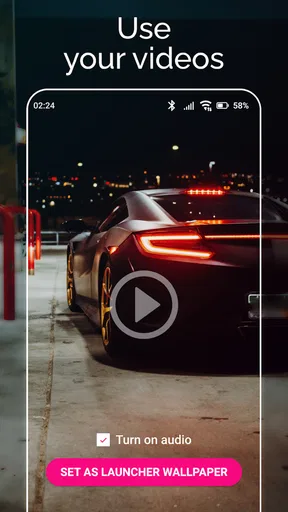
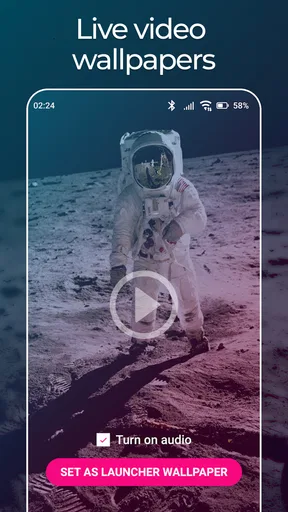
 Analysis by AppCompare
I like personalization that feels personal rather than simply swapping one stock image for another. That is the idea behind Video Live Wallpapers: choose a video already on your phone and use it to give the home screen movement. The appeal is easy to understand, but the result depends on choosing a clip that works well as a background, not just one you enjoy watching full-screen.
Turning a familiar clip into a wallpaper
The main attraction is the direct link between a video in your gallery and the screen you see throughout the day. Instead of browsing a separate catalogue, I can pick a clip that already means something to me: a quiet landscape, a pet doing something funny, or a small moment from a trip. That makes the wallpaper feel more individual than a typical still image, while keeping the setup focused on the content I already have.
The trade-off is that a video designed for viewing may not automatically make a good wallpaper. Faces, captions, or the important action can sit under app icons, and a clip with constant movement can make the screen feel busy. I would start with a short, visually simple segment, then check how it looks behind the icons before settling on it. A scene with open space and a clear subject usually feels calmer than a crowded shot.
How the setup feels in everyday use
When I first downloaded Video Live Wallpapers, I was curious but skeptical. How good could a live wallpaper really be? It's easy to find in the app store, and downloading was a breeze. Once installed, the app greeted me with a simple interface that didn't take long to get the hang of. No need to be a tech wizard here.
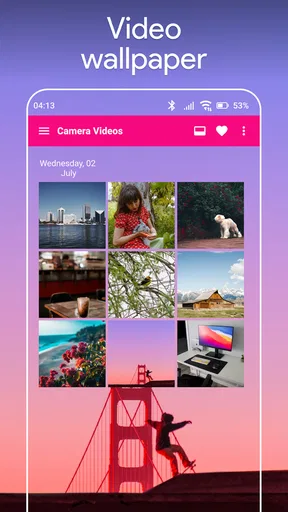
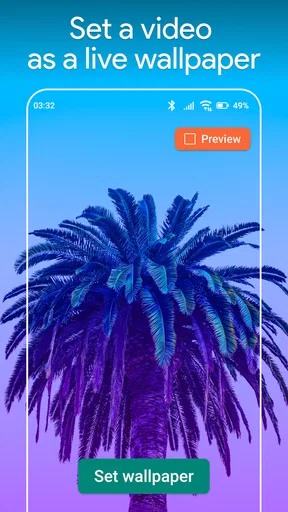
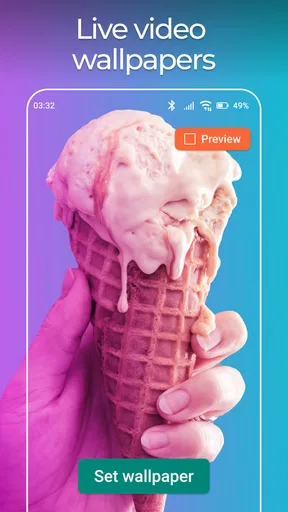
The app lets you select any video from your gallery to be set as your live wallpaper. I dived into my library and picked a short clip from a vacation. In moments, my home screen was transformed into a moving memory. The app supports a variety of video formats, so whether it's a snippet from your kid's ballet recital or that stunning sunset you caught last year, you can bring it to life right on your screen.
That gallery-first approach is useful when I have a particular memory in mind, but it also means the choice is mine to manage. Before setting a clip, I would preview it with the phone's usual home-screen layout in mind: widgets and icons take up space, and a video that looks great in the gallery may become hard to read as wallpaper. If the important part keeps landing beneath icons, a different moment from the same recording can be a better pick than changing the whole idea.
There is also a practical reason to think about clip length and motion. A short section with a natural visual rhythm tends to feel intentional when it repeats; a clip with a noticeable cut or a person entering and leaving the frame can make the loop distracting. I would trim around a complete, self-contained moment rather than selecting a long recording and hoping the repeat goes unnoticed. That small bit of preparation makes the moving background feel more polished.
Worth Reading Before You Choose

EA SPORTS FC Mobile 26 Is a Bigger Football Game, but It Takes Time

Flipboard Shows What News Apps Must Do Beyond the Feed

Switching to Android Auto Means Rethinking Your Driving Routine

Google Calendar Makes a Crowded Week Easier to Manage

Ludo King Makes the Most of the Minutes Between Plans

Baby Panda World Brings Quick Play to Modern Phones, but Its Game Library Feels Busy
Useful controls, with a few choices to make
One of the coolest features is the ability to adjust the playback speed, so you can have your video loop slower or faster depending on your mood. There's also an option to enable sound, which can be a neat addition if you want your wallpaper to be a full sensory experience. Imagine the gentle sound of waves accompanying a beach video – pure bliss!
Sound is a choice I would make carefully. It may suit a deliberate demonstration or a quiet moment when I am showing someone the wallpaper, but audio attached to an everyday home screen can be surprising in public or inconvenient when I simply want to check a notification. I would try the visual effect first, then decide whether sound genuinely improves the clip rather than leaving it on just because it is available.
The app also offers a handy tool to trim your videos. Say goodbye to unnecessary footage and highlight only the best parts of your clip. I found this particularly useful for keeping my wallpaper fresh and to the point.
Trimming is more than a convenience here: it helps solve two common wallpaper problems at once. It lets me remove the uninteresting lead-in and choose a section whose framing stays readable behind icons. If a clip has a strong moment followed by a camera pan, I can focus on the steadier portion instead. I would keep the original video intact in my gallery and treat the wallpaper selection as a focused excerpt, so the source memory remains available separately.
Playback speed and framing also work best as a pair. Slowing a fast scene can make it less hectic, while speeding up a slow clip can give it more energy; neither adjustment is automatically an improvement. I would change one setting at a time and judge the wallpaper from the home screen, not only from the app's controls. The goal is a background that still feels pleasant after repeated glances, not a miniature video demanding attention every time I unlock the phone.
Where a moving wallpaper fits—and where it doesn't
I find a moving wallpaper most useful when it adds a quiet personal touch without taking over the screen. A short, steady clip can make an everyday unlock feel warmer, while busy footage may compete with icons and make quick checks less comfortable. I’d judge the choice by how it behaves during ordinary use, not just by how appealing it looks in a preview.
Choosing the right moment for it
A realistic use for this app is setting a calm landscape from a recent trip as a personal background during a week when I want a small reminder of time away. I might choose a few seconds of waves or tree movement, trim out camera shake, and keep the framing simple enough that my icons remain legible. The effect is subtle: I see a familiar scene when I return to the home screen, without needing to open a photo album.
It can also work for a parent who wants a brief family moment close at hand, or for someone who records their own travel and nature clips. In those cases, the personalization comes from the source video, not from a large collection of ready-made designs. That distinction matters: if I want an instantly polished animated theme with matching icons or coordinated artwork, a wallpaper catalogue or a static design app may be a better fit.
Compared with a conventional still wallpaper, a video can add movement and make a personal clip feel more present, but it can also compete with the information on the screen. Compared with live-wallpaper apps built around supplied scenes, this one is appealing when I already have a specific video in mind. It is less convenient when I want to browse lots of finished backgrounds and choose one immediately. The right option depends on whether I value my own footage or a ready-to-use selection more.
Battery expectations and performance
Now, I know what you're thinking. Won't a live wallpaper drain my battery faster than I can charge it? Thankfully, the developers seem to have thought this through. Video Live Wallpapers is designed to be energy efficient. I've been using it for a week now, and I haven't noticed any significant drop in battery life. It's smooth and doesn't lag, which is a relief because the last thing anyone needs is a choppy home screen.
My experience is reassuring, but I would still treat battery impact as something to judge on my own device and with my own clip. A bright, constantly moving scene may feel more demanding than a restrained one, and a phone's overall battery use has many causes. If I am travelling, low on charge, or trying to stretch a day away from a charger, a static wallpaper is the safer choice. For ordinary use, I would try the video for a while and switch back if I notice a meaningful change rather than assume every setup behaves identically.
One useful way to test it is to keep the rest of the phone routine unchanged for a day or two, then compare how the device feels with a static background. I would avoid drawing a firm conclusion from a single busy day, since navigation, streaming, calls, and screen brightness can all affect battery use. This is a small personalisation feature, so the right standard is simple: if the movement makes me smile without creating a practical annoyance, it earns its place; if I start worrying about charge, it does not.
Personal touches and sensible limits
Customization is a big plus with this app. You can adjust the video size, position, and looping settings to fit your personal style. The app's intuitive design makes it easy to navigate, even for someone who's not particularly tech-savvy. I appreciated how user-friendly it is, allowing me to tweak settings without any frustration.
Those adjustments are especially valuable because phone screens and source videos do not always match neatly. I would check whether the subject stays visible after changing size or position, and then revisit the home screen to make sure the crop still feels right. A clip recorded vertically may need less adjustment than a wide landscape shot, but the important thing is the final composition on the device, not the original video's appearance in the gallery.
Looping deserves the same attention. A natural repeat can make a short scene feel continuous, while a sharp transition can become irritating after a day of frequent unlocks. Choosing a section with steady motion, trimming close to a visual pause, or slowing the pace can help. If no part of a favorite video loops gracefully, I would keep it as a regular wallpaper or photo instead; not every meaningful clip needs to move to be worth keeping on screen.
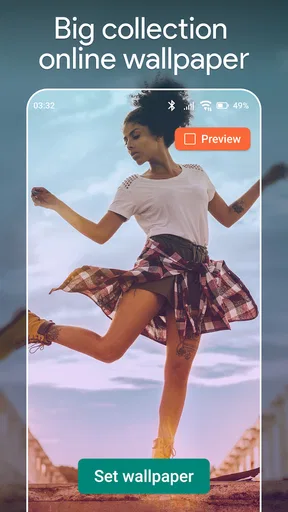
One thing I'd love to see in future updates is a library of pre-installed videos. While using personal videos is great, having a quick option for something fresh without digging through my gallery would be a bonus.
That limitation points to the audience this app serves best. It is for people who are happy to choose and prepare their own footage, not for someone who wants a rotating feed of new wallpaper ideas. If my gallery is disorganized, or I rarely record video, the first setup may involve more browsing than I want. I would make a small album of candidate clips before choosing one, which turns later changes into a quick decision rather than a search through unrelated recordings.
Who will get the most from it
As a personalization app from ZipoApps, Video Live Wallpapers keeps its purpose narrow: it turns a selected gallery video into a moving background. It is free to download, rated for Everyone, and its current version is 4.0.4, with support starting at Android 5.0. The app has an average rating of 4.4 from around 368,000 ratings, and it has passed 10 million installs. Optional in-app purchases range from $0.99 to $149.99 per item, so I would check the purchase details in the app before paying for anything. Its release date was April 10, 2018.
The best match is someone who enjoys making a phone feel personal, already has a few clips worth revisiting, and is willing to spend a moment trimming and positioning them. The less suitable user is someone who prioritizes a quiet, clean home screen, wants a ready-made wallpaper library, or prefers not to have motion behind icons. For that person, a carefully chosen still image is simpler and often more readable.
It also suits people who like experimenting without rebuilding their whole interface. I can change the video when a season, trip, or mood changes, then return to a static image whenever movement feels distracting. That makes the app less of a permanent theme and more of a flexible accent. I would choose a clip I will still enjoy seeing repeatedly, rather than one that is exciting once but visually tiring by the end of the day.
My verdict after living with it
Overall, Video Live Wallpapers is a fantastic app for anyone looking to add a bit of flair to their device. It's simple to use, doesn't hog your battery, and offers a cool way to relive your favorite moments every time you unlock your phone.
For those who love personalization and want their phones to stand out, give this app a try. It’s a small change with a big impact, and who knows – it might just become your new favorite feature.
My recommendation is to begin with one short clip, turn off anything you do not actively want—especially sound—and judge the result in the context of your real home screen. If the video stays readable, loops comfortably, and feels good after repeated unlocks, it has done its job. If it gets in the way, switching back to a still image is not a failure; it simply means your phone works better with a quieter background.
Pros
- Dynamic and visually appealing home screen.
- Wide variety of video options available.
- User-friendly interface for easy setup.
- Minimal impact on battery life.
- Supports custom video uploads.
Cons
- May not support all video formats.
- Some features behind a paywall.
- Can slow down older devices.
- Occasional app crashes reported.
- Limited editing tools for videos.
FAQs for Video Live Wallpapers
What are Video Live Wallpapers, and how do they differ from static wallpapers?
Video Live Wallpapers are dynamic backgrounds that use video clips instead of static images. Unlike traditional wallpapers, these bring your device’s screen to life with movement and animation, providing a more engaging and visually appealing experience. However, they may consume more battery and resources compared to static images.
How does using Video Live Wallpapers affect battery life?
Using Video Live Wallpapers can impact battery life since they continuously play video content on your screen. This constant playback uses more power than a static image. To mitigate this, some apps offer settings to reduce motion or pause the live wallpaper when the device is not in use.
Are Video Live Wallpapers compatible with all Android and iOS devices?
Compatibility largely depends on the device's operating system and hardware capabilities. Generally, newer devices with updated Android or iOS versions support Video Live Wallpapers. However, older or less powerful devices might experience performance issues or may not support the feature at all.
Can I use my own videos to create a Video Live Wallpaper?
Yes, many Video Live Wallpaper apps allow you to use personal video clips from your device's gallery. This customization feature lets you personalize your screen with videos that hold personal significance or match your aesthetic preferences, enhancing the user experience.
Do Video Live Wallpapers require a lot of storage space?
The storage space required depends on the video file size and resolution. High-resolution videos will take up more space. Some apps offer compression options to reduce file size without significantly compromising quality, ensuring your device’s storage is managed efficiently.


